

We all use google – pretty much every day – when we need an answer to something, when we are working on a project, to settle an argument and to get an answer to almost any question that pops up in our head.
Here are 10 tips to improve your search results and subsequently your experience of the giant search engine GOOGLE
1. To Search specific websites or domains:
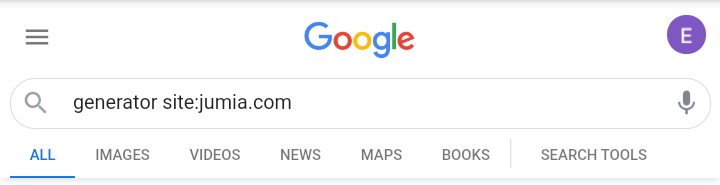
If you’re looking for results from a specific website, you can narrow your search to only that website by using the site: operator. For example, say you want to search for the price of various generators on Jumia store, type Generators site:jumia.com into the search bar and press the search button and all the search results will be restricted to the Jumia domain.
2. To search for a specific word or phrase:
If you have a specific word or phrase youre looking for, just type in the word with quotation marks on both sides. For example, if I want to search specifically for Brain aneurysms, I’ll just type “brain aneurysms” into the search bar and hit enter, the results will be restricted by more than 60%.
3. To search for song lyric you can’t completely remember the line:
If you forget the word in the line of a lyrics, just replace the forgotten words with asterisks and google will provide the lyrics.
4. To search specific file type:
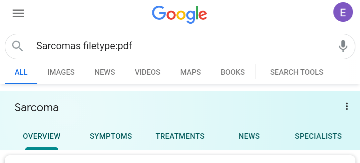
If you want a specific file type either a PDF, powerpoint or word document file, you can narrow your search result to that specific file type by using the filetype: operator. For example, for a pdf file on Sarcomas, I’ll type in Sarcomas filetype:pdf into the search bar and hit enter.
5. To find similar websites:
You can do this by using the related: operator. For example, if I’m looking for websites similar to Netflix.com, I’ll type in related:www.netflix.com into the search bar. It will bring a long list of other platforms where I can stream movies.

6. To exclude words from a search:
You may find yourself searching for ambiguous words like Jaguar such that when you search them, they’ll bring results for both the animal and the car. To cut one off, simply use the hyphen to exclude that which you aren’t searching for. For example, Jaguar –cars. The engine removes all Jaguars related to cars from the search result.
7. Spelling doesn’t really matter:
If your search word contains words you don’t know the spelling, google will bring out results related to the words you’ve put in.
8. To get result from a specific website.
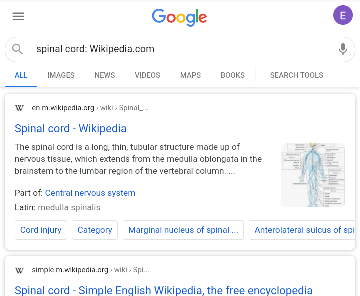
Simply use colon followed by the website’s domain to get results from that specific website. For example, spinal cord: Wikipedia.com.
9. To get specific definition of a word:
Simply use define: operator to get only the definition of such word instead of related articles. For example, define: anastomosis.
10. Searching for two different things at once:
Use OR in-between both phrases to get both results at once. For example, Fracture OR Dislocation.
Enjoy your Google experience. Stay tuned for more tips to improve your experience.
Kindly drop your comments and questions in the comment box…
…making life easy with tech


 kalenuel